Why every payout needs a category: salaries, rent and stock
Tagging payouts with a spend category and a note turns a list of transfers into records your accountant can use. Here is a simple setup for small teams.
FinoQ Team
Open the payments history of most small businesses and you see a list of names and amounts. Brian Otieno, KES 38,500. Achieng Supplies, KES 86,200. 247247, KES 12,000.
What you do not see is why. Was that a salary or a refund? Rent or a deposit? Which invoice did the KES 86,200 settle?
Someone in the business knows. Usually one person, in their head. When the accountant asks at month end, or KRA asks a year later, that person has to remember.
Name the payment, not just the person
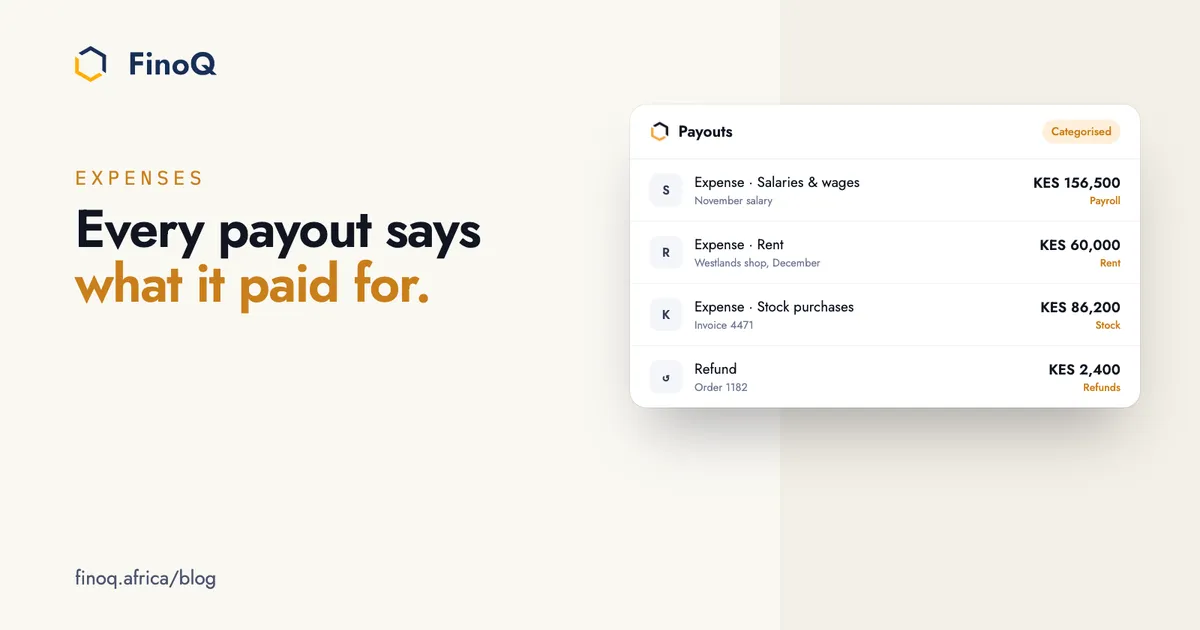
On FinoQ, each payout can carry a spend category and a note. Your payouts list then reads like this:
- Expense · Salaries & wages · November salary
- Expense · Rent · Westlands shop, December
- Expense · Stock purchases · Invoice 4471
Same money, but now every line explains itself.
A starter set of categories
You do not need a chart of accounts with forty lines. Most small teams can run on six:
- Salaries & wages: staff paid monthly.
- Casual & contract pay: riders, agents, day workers.
- Stock purchases: what you buy to sell.
- Rent & utilities: landlord, power, water, internet.
- Services: accountant, security, cleaners, software.
- Refunds: money back to customers.
Add more when a category gets too big to be useful. Not before.
What goes in the note
Keep the note short and specific. Your future self should understand it without asking anyone:
- The invoice number for suppliers.
- The month for salaries and rent.
- The order or receipt number for refunds.
Where it pays off
- Month end. Total salaries, total stock and total rent are a filter, not an afternoon.
- Your accountant. If you use Zoho Books, payouts can be mirrored there, and the category tells your accountant where each one belongs.
- Tax. When you need to show what a payment was for, the reason is already attached to it.
- Decisions. “Are we spending too much on casual pay?” becomes a question you can answer.
Make it a habit, not a chore
Categories only work if they are filled in every time. Three things make that easy:
- Bulk payouts and Google Sheets carry the category per row, so payroll is tagged once in the sheet. (Run bulk payouts from a Google Sheet.)
- Scheduled payouts keep their template, so the monthly rent run is tagged every month without anyone touching it.
- Name runs clearly. “Expense · Salaries & wages · November” beats “test 2”.
The bigger picture
A finance team’s job is mostly this: knowing where the money went, and why. Small teams do not have a finance team, but they can have finance records. Tagging every payout is the cheapest way to get there.
Create a business account and tag your next payout run. Or read why reconciliation is a data problem.