Infrastructure for your payment operations.
Check who you deal with. Collect and pay through the channels you already run. Then reconciliation, tax, books and the numbers follow. One layer, behind one login and one API.
Explore API DocsYour paybills, tills, banks and books stay yours. FinoQ connects them. It does not replace them. The time goes back to running the business.
Name checked
Achieng Wanjiru
Bank account matched
Books posted
INV-1042
eTIMS receipt · Zoho Books
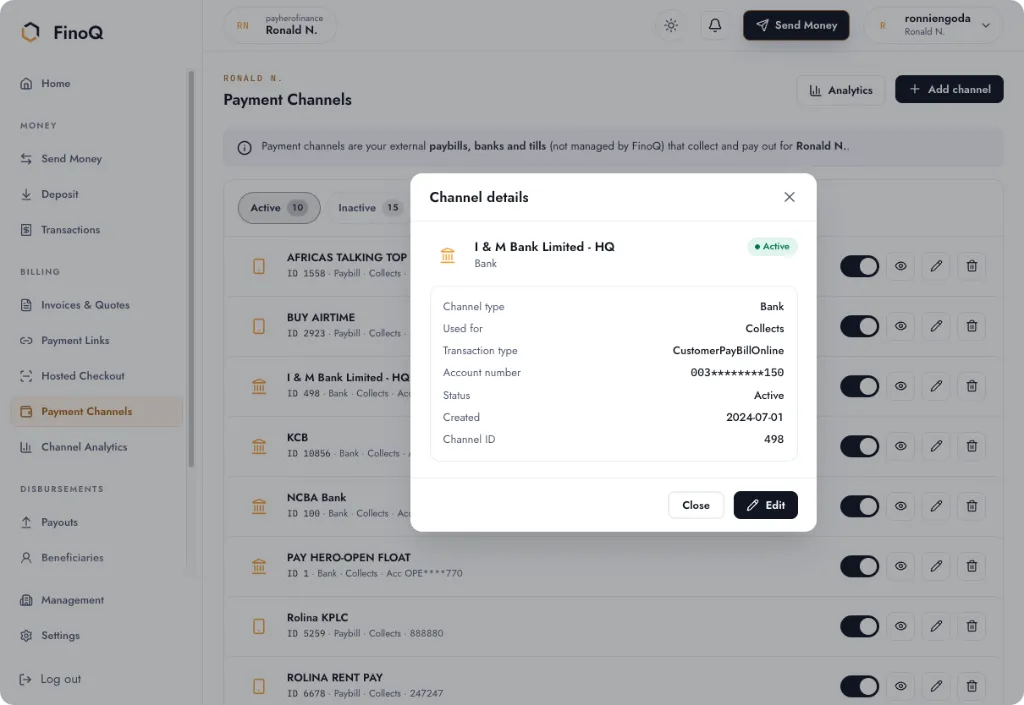
Connects what you already use
 Collect and pay out on M-PESA through the numbers, paybills and tills you already run.
'%20style='fill:%20%23ED1C24'/%3e%3cpath%20d='M108.9,24.49c-2.06-.16-2.48-1.06-2.48-2.57V2.42l-5,.84V21.6c0,4.34,2.36,6.21,6.31,6.21a12.19,12.19,0,0,0,1.9-.2V24.5A6.76,6.76,0,0,1,108.9,24.49Z'%20transform='translate(-0.35)'%20style='fill:%20%23ED1C24'/%3e%3cpath%20d='M90.72,11.37c2.2,0,2.52,2.39,2.52,3.87H87.89C88,13.33,88.76,11.37,90.72,11.37Zm1.07,13.11a3.72,3.72,0,0,1-2.87-1.09c-.89-1-1.29-2.95-1.18-5.05H98.41v-.49c-.09-7-2.47-10.17-7.69-10.17-5.82,0-8.09,5.36-8.13,10.39A10.62,10.62,0,0,0,86,26.28,8.25,8.25,0,0,0,91.28,28a12,12,0,0,0,3.52-.52,14.21,14.21,0,0,0,3.72-1.8l-1.4-2.88A9.56,9.56,0,0,1,91.79,24.48Z'%20transform='translate(-0.35)'%20style='fill:%20%23ED1C24'/%3e%3cpolygon%20points='50.06%2027.59%2055.01%2027.59%2055.01%207.88%2050.06%208.69%2050.06%2027.59'%20style='fill:%20%23ED1C24'/%3e%3cpath%20d='M77.58,2.44l-5.07.82V21.69c0,4.13,2.41,6.08,6.45,6.08a11.19,11.19,0,0,0,1.89-.18V24.52c-.06,0-.44,0-.72,0-2.13-.07-2.55-1.25-2.55-2.6V11.53h3.27V7.89H77.58Z'%20transform='translate(-0.35)'%20style='fill:%20%23ED1C24'/%3e%3cpath%20d='M41.67,23.87a4.82,4.82,0,0,1-2.57.65c-2,0-2.89-1.53-2.85-3.32a3.11,3.11,0,0,1,3.44-3.13h2Zm-2-16.34A14.78,14.78,0,0,0,33,9.28l-.55.29,1.32,3,.75-.36a10.75,10.75,0,0,1,4.68-1.09c1.79.07,2.53.9,2.53,2.61v1H38.74c-4.72,0-7.65,2.5-7.73,6.38A7,7,0,0,0,38.37,28a11.56,11.56,0,0,0,8.33-3.09V14.34C46.7,9.21,43,7.53,39.63,7.53Z'%20transform='translate(-0.35)'%20style='fill:%20%23ED1C24'/%3e%3cpath%20d='M52.94,0a3.17,3.17,0,0,0-3.19,3.15,3.15,3.15,0,1,0,6.29,0A3,3,0,0,0,55.18,1,3.08,3.08,0,0,0,52.94,0Z'%20transform='translate(-0.35)'%20style='fill:%20%23ED1C24'/%3e%3cpath%20d='M59.32,11.41v16.2h5V12.36a5.74,5.74,0,0,1,3.39-1.26,6.35,6.35,0,0,1,2,.21l1.39-3.13a8.5,8.5,0,0,0-3.33-.6A11.52,11.52,0,0,0,59.32,11.41Z'%20transform='translate(-0.35)'%20style='fill:%20%23ED1C24'/%3e%3c/g%3e%3c/svg%3e) Collect and send to Airtel Money numbers you already use.
Collect and send to Airtel Money numbers you already use. Pay T-Kash numbers from the same payouts as M-PESA and Airtel Money.
- Bank accountsConnect bank accounts the business already owns. Transfers stay on those accounts.
- PaybillsCustomers keep paying the paybill they already know. FinoQ connects it.
- TillsBuy-goods tills you already run, including M-Pesa at the shop counter.

 Visa and Mastercard. The payer finishes on a hosted card page.
 Invoices, payments and expenses are mirrored into the Zoho Books you already keep.
 eTIMSSales are fiscalised with KRA eTIMS as they happen.
Businesses using FinoQ
















Not a wallet. The layer that connects yours.
Four parts of payment operations. Each one works on its own. Together they run from the first identity check to the entry in your books.

- 01Before paymentKYC and KYBCheck the person or the business before money moves. National ID, passport, KRA PIN, tax ID and company lookups, each kept on record. Then match the phone or bank account to its owner.
- 02Getting paid, and payingLinks, prompts, banks, a name checkPayment links, an M-Pesa prompt (STK) on their phone, and the paybill, till or bank you already run. On the way out, the name registered to the account is on screen before a single, bulk or scheduled payout leaves.
- 03After paymentReconcile, tax, books and the numbersCollections and payouts sit on a ledger you can read. Fiscalise with KRA eTIMS, mirror invoices and payments into Zoho Books, and see revenue, outgoing and net per channel. A WhatsApp alert goes out when money moves.
- 04How you use itThe dashboard, or the APIThe same checks, collections, payouts, tax and books are in the dashboard and on one API. Turn on only what this business needs. Nothing has to be built twice.
02 · Getting paid, and paying
Collect and pay out, with the name checked first.
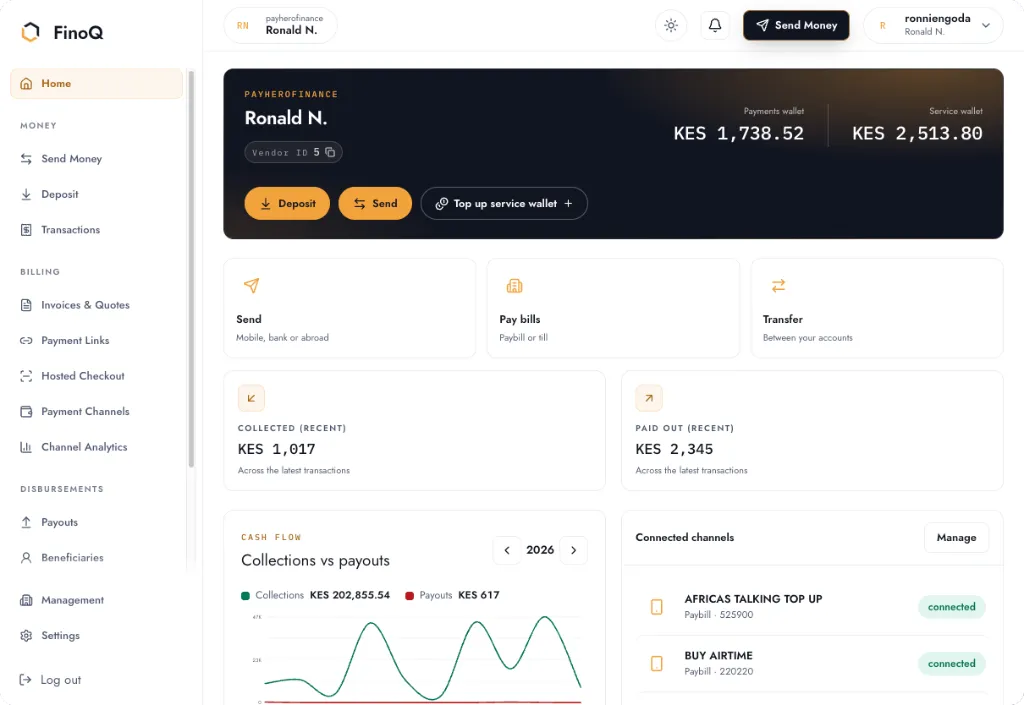
Customers keep paying the paybill, till or bank they already know. You send a payment link or an M-Pesa prompt, and payouts wait until the registered name is the one you expect.
- Payment links with your name on the page, a fixed or open amount, and the channel you pick.
- An M-Pesa prompt on their phone, or a bank, paybill or till you already run.
- The account holder’s name, before a single, bulk or scheduled payout leaves.
03 · After payment
The books, the tax and the numbers, already together.
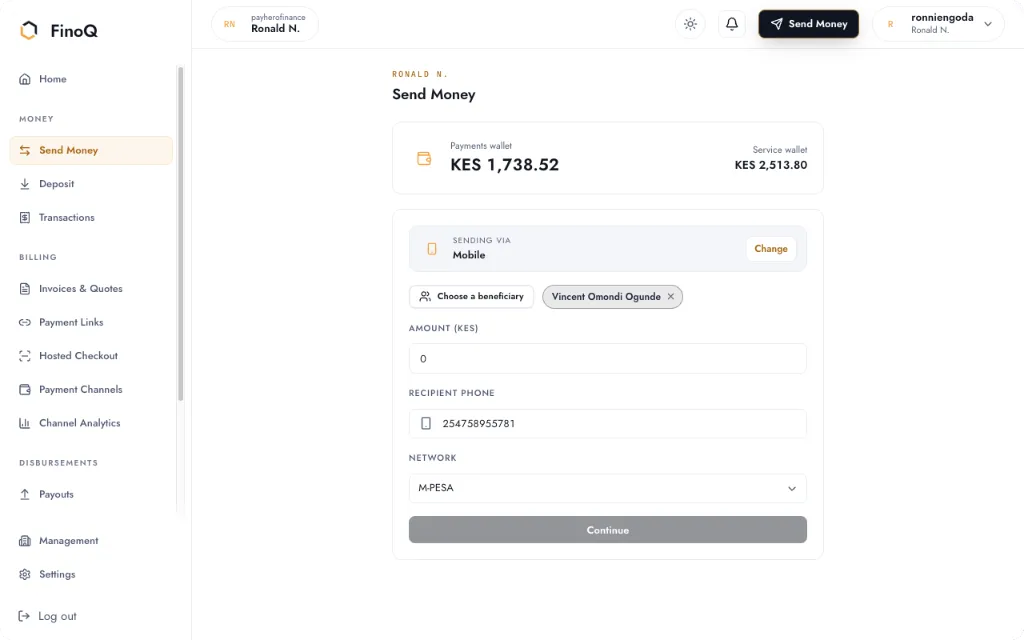
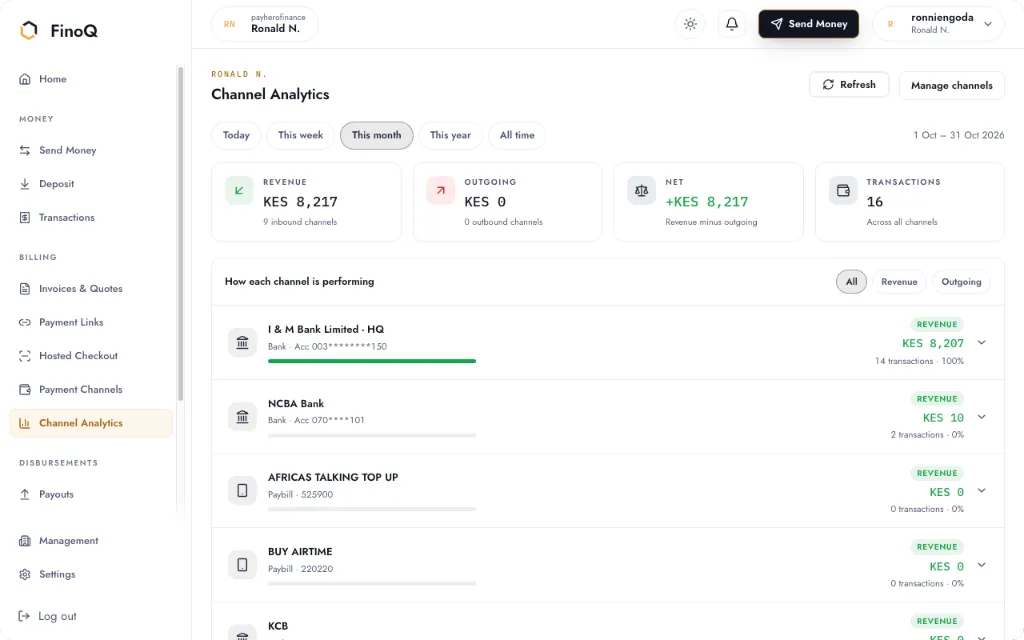
Money in reads as revenue. Money out reads as expenditure. The net is worked out per channel, and the same payment can be fiscalised and posted.
- A searchable history and statements from a double-entry ledger.
- KRA eTIMS receipts, and invoices, payments and expenses mirrored into Zoho Books.
- Revenue, outgoing and net for today, this week, this month, or all time.
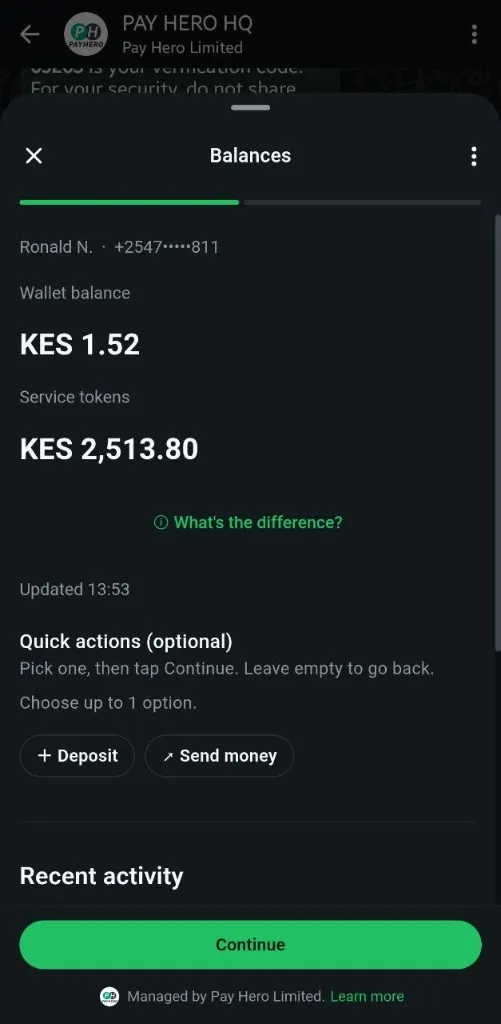
Notifications
A note when money moves, in the chat you already use.
Alerts, a look at each channel, and payouts come to WhatsApp. Every payout still needs your PIN. A signed webhook carries the same events to your own system.
- A note when money lands, on every channel you have connected.
- What came in and what went out, per paybill, till and bank.
- Pay a bill or a person, with the registered name shown first.
04 · Use what you need
The same layer, whether you have a tech team or not.
Plug in the parts this business uses. Leave the rest off. The dashboard and the API stay in step.
From the dashboard
Connect the paybill, till or bank you already own. Check a supplier, send a payment link, and let eTIMS and Zoho keep up. No code in sight.
- Start on a phone-verified account
- Customers keep paying the way they do
- Tax and books follow the payment
On the API
Onboarding, verification, collections, payouts, fiscalisation and the books, on one credential. Build the product. Keep the provider relationships you already have.
- Bring your own M-Pesa, Airtel Money or bank credentials
- Turn on only the parts you need
- Everything in the dashboard is on the API
Connect what you already use. Keep the time for the business.
Start with one channel. Add identity checks, payouts, eTIMS and Zoho Books when you need them. The layer is the same either way.