Scheduled payouts: salaries, rent and savings that run on time
How scheduled payouts work on FinoQ: daily, weekly and monthly runs, what Paused and Awaiting approval mean, and how to keep every run funded.
FinoQ Team
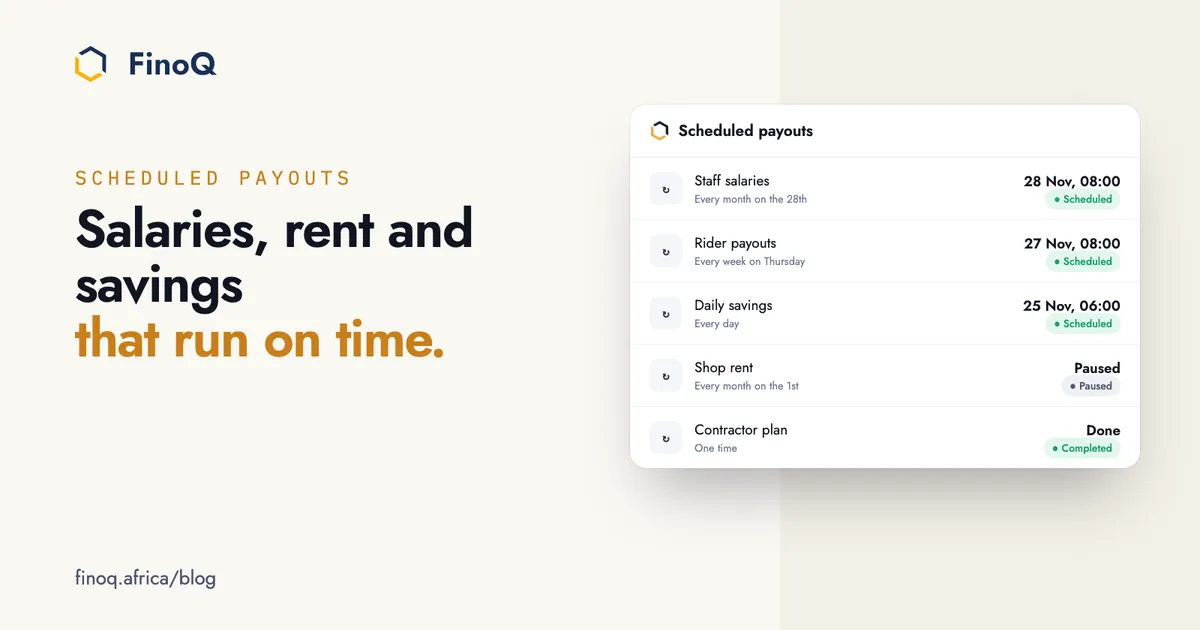
Some payments are the same every time. Salaries on the 28th. Rent on the 1st. The weekly rider payout on Thursday. A savings transfer every morning.
None of them need a decision. They need someone to remember. And when the person who remembers is on leave, or busy, or sick, the payment is late.
Scheduled payouts take the remembering out of it.
What a schedule is
A scheduled payout is a bulk payout with a calendar attached. You build the recipient list once, choose when it runs, and FinoQ sends it on each date.
You can set a schedule to run:
- Once, on a future date. A supplier payment due on the 5th.
- Every day, for daily settlements or savings.
- Every week on a chosen day, such as riders every Thursday.
- Every month, such as salaries on the 28th.
You can also give it an end date, or a set number of runs, for a fixed-term contract or a payment plan.
Reading the schedules page
Open Payouts → Scheduled payouts. Each schedule shows its name, its cadence (“Every week on Thursday”), the next run with date and time in East Africa Time, how many runs it has completed, and its status:
| Status | What it means |
|---|---|
| Awaiting approval | The schedule is set up but not yet confirmed, so it will not run. |
| Scheduled | Active. It runs at the next run time shown. |
| Paused | Stopped for now. Nothing runs until you resume it. |
| Completed | It reached its end date or its number of runs. |
| Cancelled | Stopped for good. Its past runs stay on record. |
From the list you can pause, cancel or view any schedule. Pausing is the one to remember: going on a company shutdown in December? Pause the daily run and resume it in January.
Change the list, not the schedule
The recipients live on the schedule’s template. Hire someone, and add them to the template. Someone leaves, and you remove them. The next run picks up the change.
Each run keeps its own record, so you can always see exactly who was paid on which date, even after the list has changed.
Keep it funded
The wallet balance is checked when the run fires, not when you set the schedule up. So the habit that matters is simple: top up before the date.
A few more things worth knowing:
- Schedules run in East Africa Time.
- A monthly run set for the 31st goes out on the last day of shorter months.
- Names are checked for every recipient, just as in a one-off bulk payout.
Good first schedules
If you are new to scheduling, start with the payments that hurt most when they are late:
- Salaries. Monthly, on payday, with the full staff list.
- Casual and rider pay. Weekly, on the same day each week.
- Rent and service contracts. Monthly, to the landlord’s or company’s paybill.
- Savings or sweeps. Daily, moving a set amount where you want it.
Getting started
Build a bulk payout first, check it runs the way you expect, then turn it into a schedule. Create a business account or read how to pay salaries to M-Pesa and bank accounts in one run.